
Release2.0.0ReplayMCPAIQUICPenetration Testing
InterceptSuite 2.0.0: Replay, Interception Rules, Scope and AI Access (MCP)
InterceptSuite 2.0.0 adds Replay for non-HTTP protocols, interception rules, Scope, TLS pass-through, HTTP/3 over QUIC, a hex editor and an MCP server so Claude Code can drive your MITM proxy.
I
InterceptSuite Team
October 6, 2026·6 min read
InterceptSuite 2.0.0 is out. It is the release that turns the proxy into a full workbench for non-HTTP traffic.
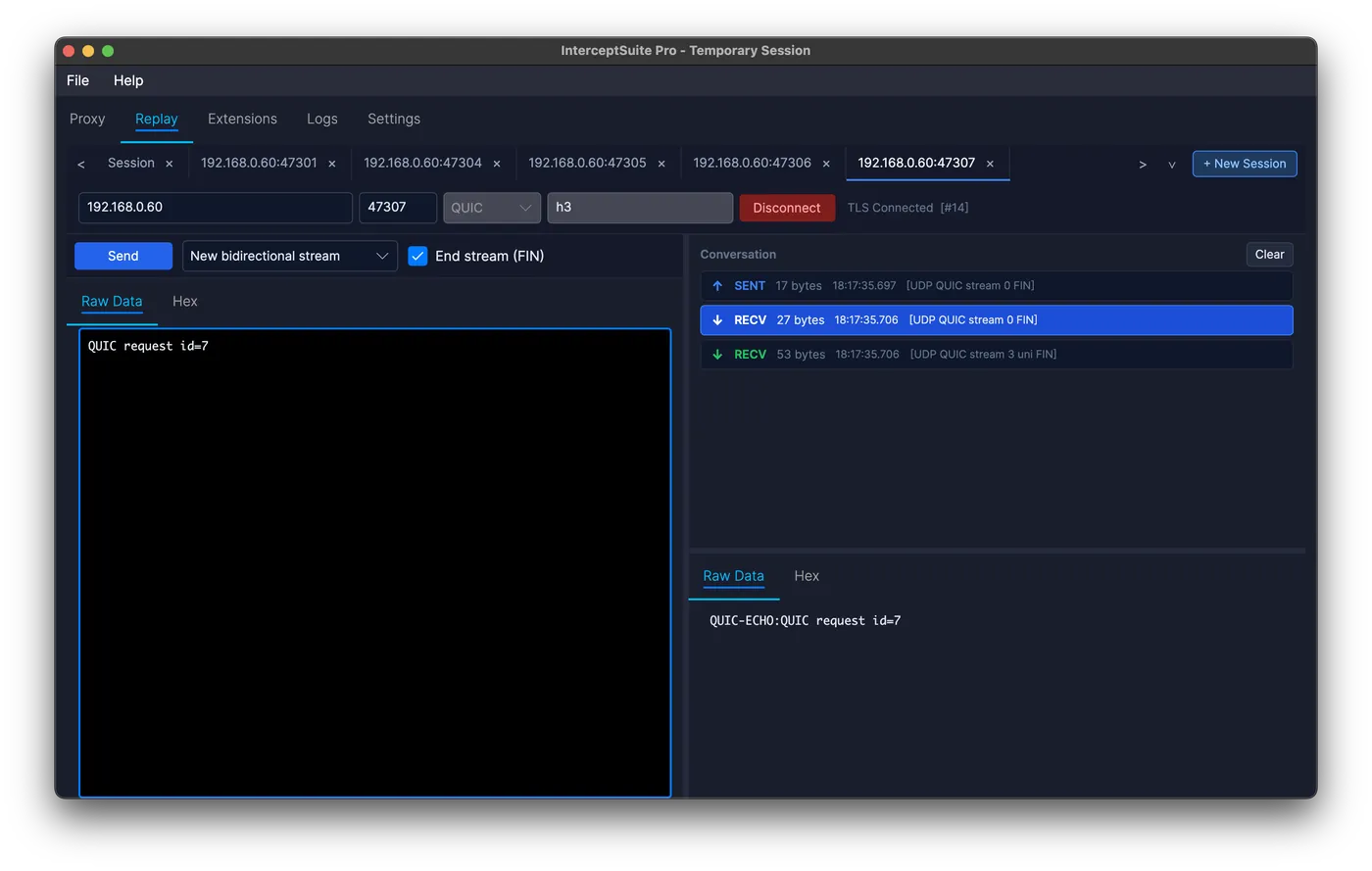
Replay: Burp's Repeater for TCP, UDP and QUIC
Send your own packets over TCP, TLS, STARTTLS, UDP, DTLS and QUIC, in as many tabs as you need. Start from scratch by entering a host, port and protocol, or right-click a packet in Proxy History and choose Send to Replay. Sessions are saved with the project. See the Replay docs.
Interception rules and Scope
Hold only the packets you want, separately for client-to-server and server-to-client, using and/or rules on host, port, protocol, size, payload and Scope. Scope lets you define targets, add them from Proxy History with a right-click, and filter by in-scope or out-of-scope traffic.
TLS pass-through, hex editor and filters
- TLS pass-through relays selected targets untouched, for apps that pin certificates.
- The hex editor edits packet bytes in Intercept and Replay.
- Proxy History filters take Wireshark-style expressions such as
port == 443 and data contains "token". - Host and ALPN columns appear for every protocol.
HTTP/3 over QUIC
QUIC v1 now relays every stream of a connection, and several connections from one application work together. HTTP/3 is shown as raw bytes, and the HTTP/3 extension decodes and re-encodes it as readable HTTP. See how it compares with mitmproxy.
AI access (MCP)
A built-in MCP server lets an AI agent such as Claude Code or Claude Desktop read your Proxy History, change settings, use Replay and, if you allow it, work the Intercept queue.
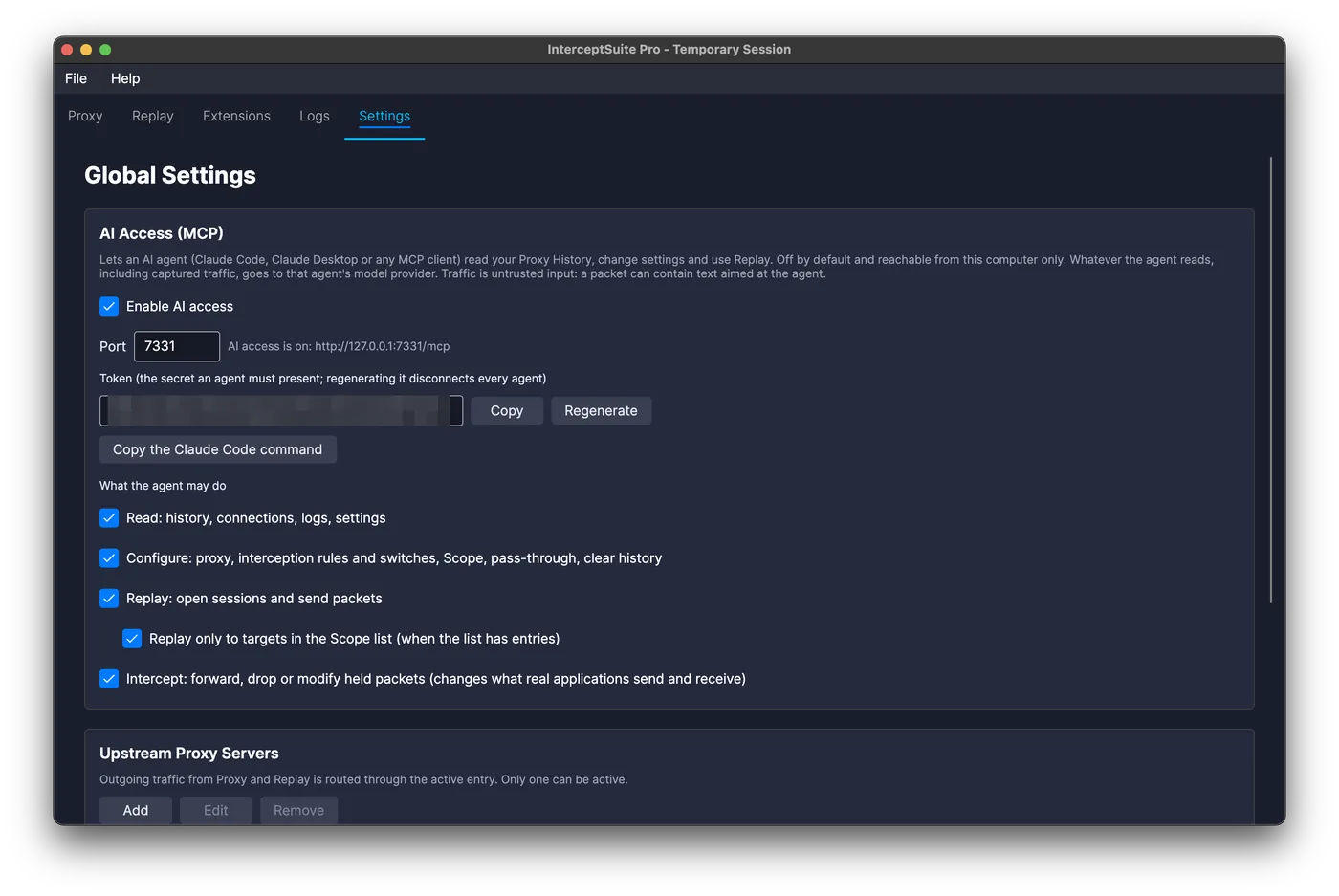
- Off by default. Nothing listens until you turn it on in Settings.
- Local only. The server accepts connections from your own machine and every request needs a token.
- Permissions you control. Read, Configure, Replay and Intercept are separate switches, and Replay can be limited to your Scope.
- Logged. Everything an agent does appears in the Logs tab.
One command connects Claude Code:
claude mcp add --transport http interceptsuite http://127.0.0.1:7331/mcp --header "Authorization: Bearer <token>"
Captured traffic is untrusted and can contain text aimed at the agent, and InterceptSuite only provides a standard MCP server: you choose the agent and model (a local one works too), and we receive none of the data. What the agent reads goes to whichever provider you picked. Keep Intercept off unless you are watching, and keep Scope filled in. Full details: AI Access (MCP).
Fixes and security
- Linux: the app now starts on current distributions (Ubuntu 22.04+, Fedora 35+), and interception works on Linux and macOS.
- Faster TLS connection setup, a Proxy History search that no longer freezes, and lower memory use.
- The CA private key is readable only by your user account, and updates must be signed by InterceptSuite.
- Known limitation: connections that use Encrypted Client Hello (ECH) cannot be intercepted.
Existing 1.3.0 projects open as they are. Download 2.0.0 or start the 7-day trial.