
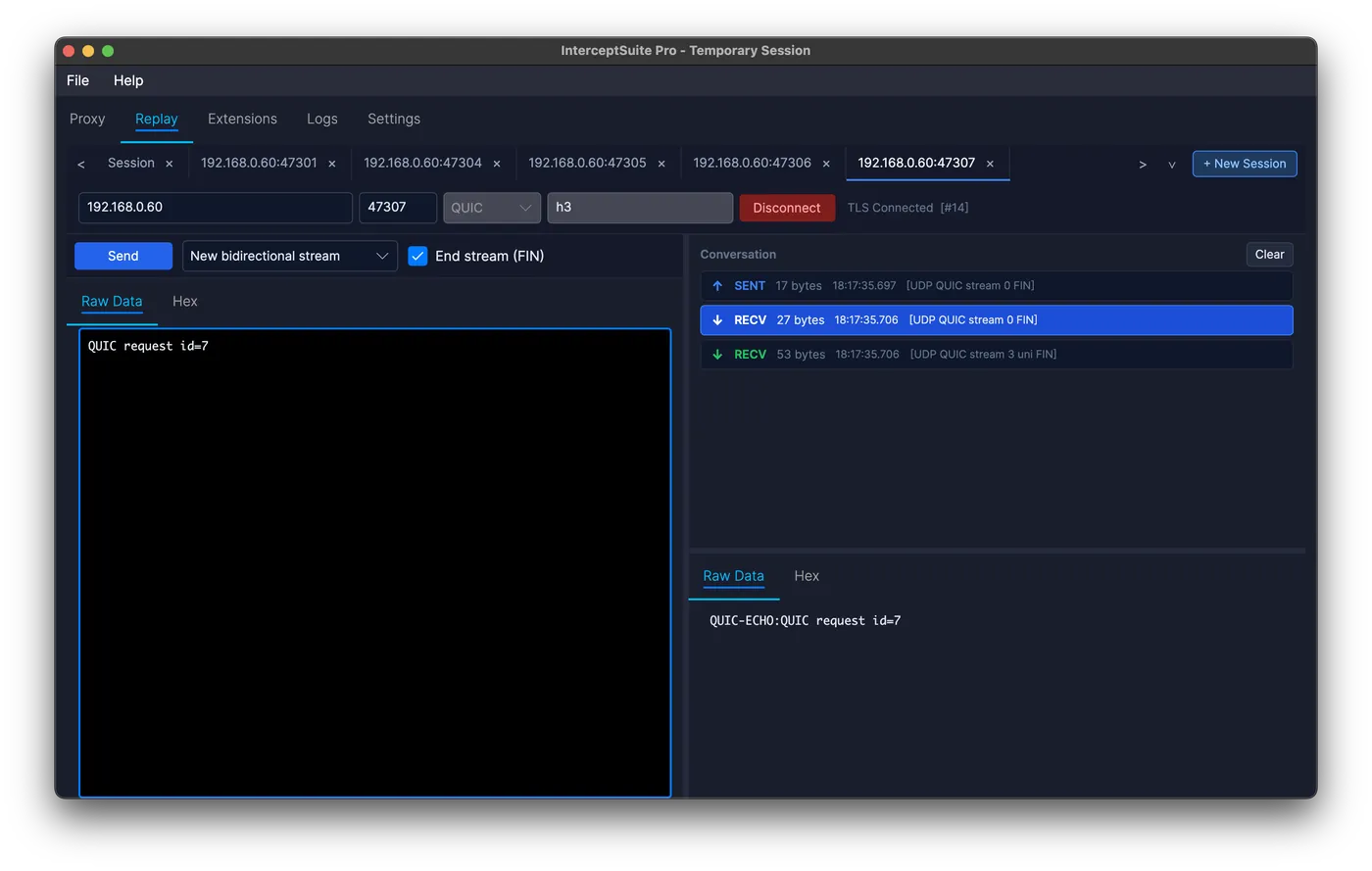
Repeater for raw TCP, UDP, TLS, DTLS and QUIC.
Enter a host, port and protocol and send whatever you like, or send a captured packet from Proxy History. Edit it in hex and resend. No script to write, no HTTP wrapper. Works over TCP, TLS, STARTTLS, UDP, DTLS and QUIC.
Authorisation and logic tests
Change a user ID, role or flag byte in a captured message and resend it to see what the server accepts.
Replay-attack checks
Resend a captured login, token or command to find out whether the server accepts duplicates.
Manual fuzzing in hex
Edit length fields, type bytes and truncation by hand, and compare replies one tab per test.
STARTTLS testing
Exchange the plain-text commands, click Upgrade TLS, and carry on over the same connection.
Regression tests for your own server
Capture a session once, then send it again after each change and compare responses.
IoT, DTLS and QUIC devices
Send datagrams or QUIC streams with the right ALPN and read what the device returns.
How Replay compares
| Tool | TLS | DTLS | QUIC | STARTTLS mid-session | Build from scratch | Send from proxy history |
|---|---|---|---|---|---|---|
| InterceptSuite Replay | Yes | Yes | Yes (ALPN, streams) | Yes (Upgrade TLS) | Yes | Yes |
| Burp Repeater | HTTP only | No | No | No | HTTP only | HTTP |
| Packet Sender | SSL | Server only | No | No | Yes | No (not a proxy) |
| netcat / openssl s_client | s_client | No | No | s_client -starttls | Yes | No |
Based on each tool's public documentation, October 2026.
Replay questions
What is Replay?
Replay is the InterceptSuite tab for building and sending your own packets over TCP, TLS, STARTTLS, UDP, DTLS and QUIC, like Burp Repeater does for HTTP. Sessions are saved with the project.
Do I need captured traffic to use Replay?
No. Open the Replay tab, click New Session, enter the host or IP and port, choose the protocol, type your payload and click Send. The session connects on the first send.
How do I send a captured packet?
Right-click it in Proxy History and choose Send to Replay. The host, port, protocol, ALPN and payload are copied into a new session.
Can I edit bytes?
Yes. The payload editor has Raw and Hex tabs, plus extension tabs for decoded views. Binary payloads are sent exactly as shown.
Is it for load testing?
No. Replay is for protocol testing one packet at a time. Use dedicated tools for load or stress tests, and only test systems you are authorised to test.
Evaluating for a team?
Get a team quote, an invoice route and a security-review pack for procurement.