
ReplayTCPDebuggingtcpreplayQATesting
How to Replay a Captured TCP Session Against a Live Server (and Edit It First)
tcpreplay and tcpliveplay replay packets for network testing. To resend and edit the application payload your client sent, capture it with InterceptSuite and send it again from Replay.
I
InterceptSuite Team
October 6, 2026·6 min read
Short answer: tcpreplay replays packets from a PCAP at the network level, mainly to test devices. If you want to resend what your application sent, with the option to change a byte first, capture the traffic in InterceptSuite, right-click the packet in Proxy History, choose Send to Replay, edit it, and send it to the live server.
Last updated 6 October 2026.
Two different jobs
| tcpreplay / tcpliveplay | InterceptSuite Replay | |
|---|---|---|
| Works on | Packets in a PCAP | The application payload of a connection |
| Typical use | Testing firewalls, IDS and network devices | Reproducing and probing application behaviour |
| TCP sessions | tcpliveplay replays a captured TCP flow to a live host; its docs say it works with single-session captures and needs root | Opens a real new connection and sends the payload you choose |
| Editing | Rewrite headers and addresses | Edit the payload in text or hex |
| TLS | Replays encrypted bytes, so the server rejects them | Decrypted in the proxy, then sent over a fresh TLS connection |
A replayed encrypted capture cannot be edited, and a live server will not accept it, because the TLS session keys no longer match. Resending the decrypted application payload over a new connection avoids that.
Workflow
- Capture. Route the client through the InterceptSuite SOCKS5 proxy (or intercept a client that has no proxy setting) and trust the CA so TLS is decrypted. See the quick start.
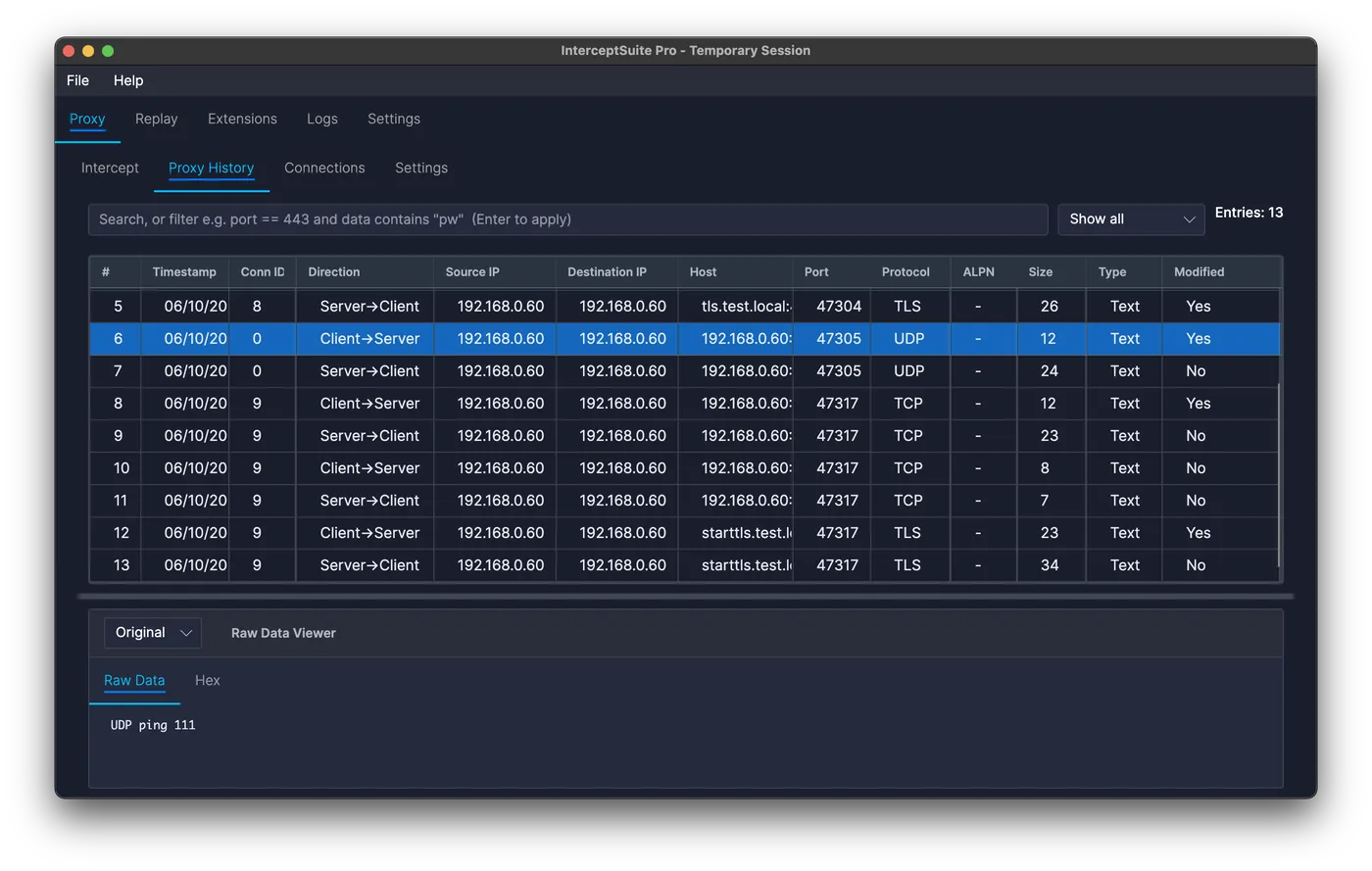
- Find the request. Open Proxy History and use a filter such as
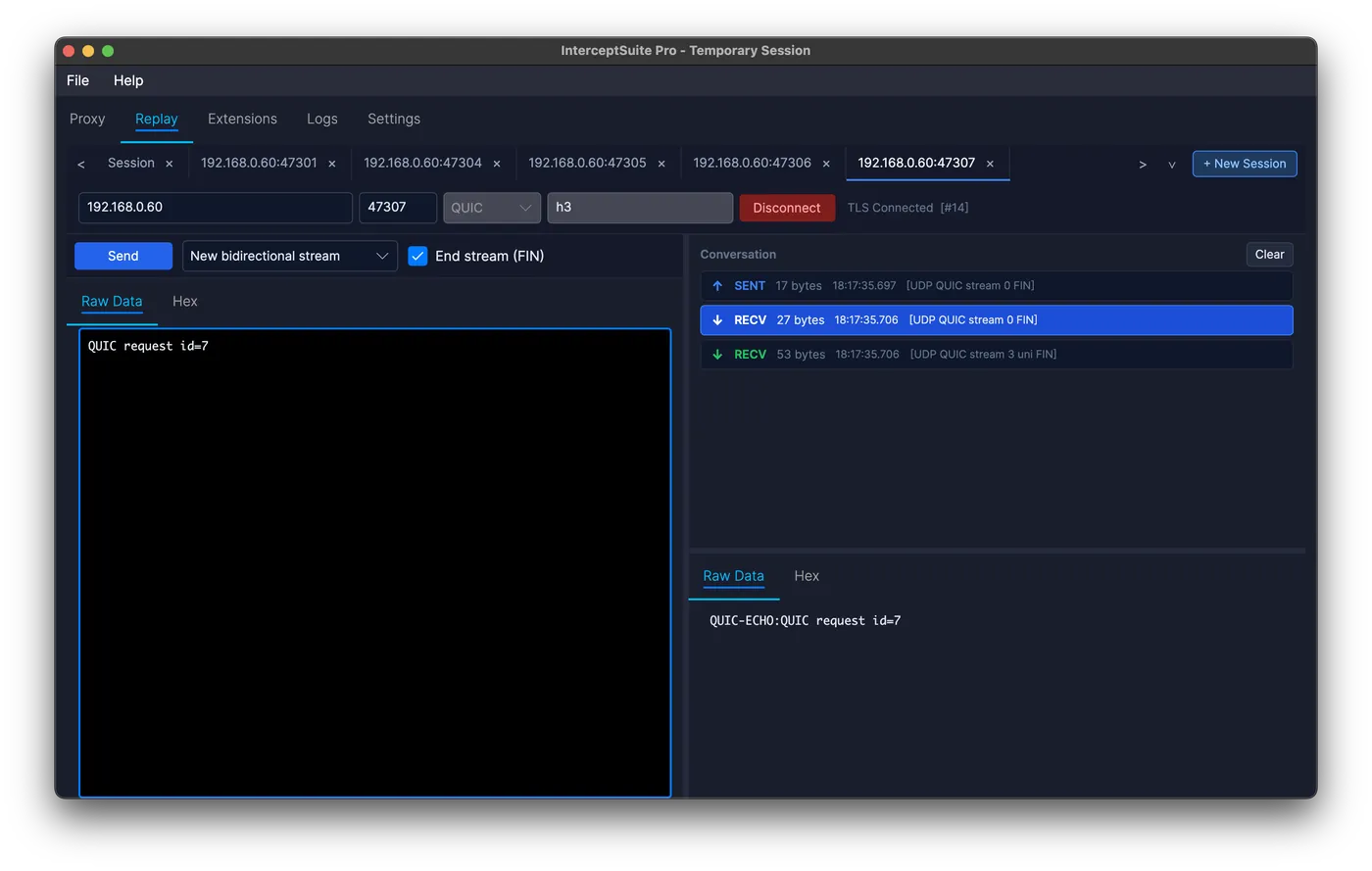
port == 9000 and data contains "login". - Send to Replay. Right-click the packet and choose Send to Replay. The host, port, protocol, ALPN and payload are copied into a new session.
- Edit. Change a field in the Raw or Hex tab. Binary payloads are sent exactly as shown.
- Send. Click Send and read the reply in the conversation panel.
- Compare. Open another session for the original request and compare the replies side by side.
What to try
- Reproduce a bug report by resending the exact request bytes that caused it.
- Change one value such as an ID, a flag or a length, and check the server response.
- Resend the same message twice to see whether the server accepts duplicates.
- Truncate or extend a field to see how the parser reacts.
Sessions are saved with the project, so you can reopen them later.
Limits
- Replay sends payloads you choose, one at a time. It does not recreate the timing of a whole capture.
- Protocols with sequence numbers, nonces or signed requests may reject a replayed message by design. That is a useful result, but it means the server will not accept the old one.